Inspiration Binah was a difficult and long time consumming project. It was a great challenge for me, technically and artistically. Binah is the third sephirah of the tree of life in cabbala. After reading many texts about the tree of life, I wrote some sentences describing my vision of Binah:
She is the third sephira in the tree of Life.
She channels the torrent of energy of Chokmah.
She is the one who creates Life…
She gives Life to all things…
She gives Death too…
She is the dark protector of Life and Death.
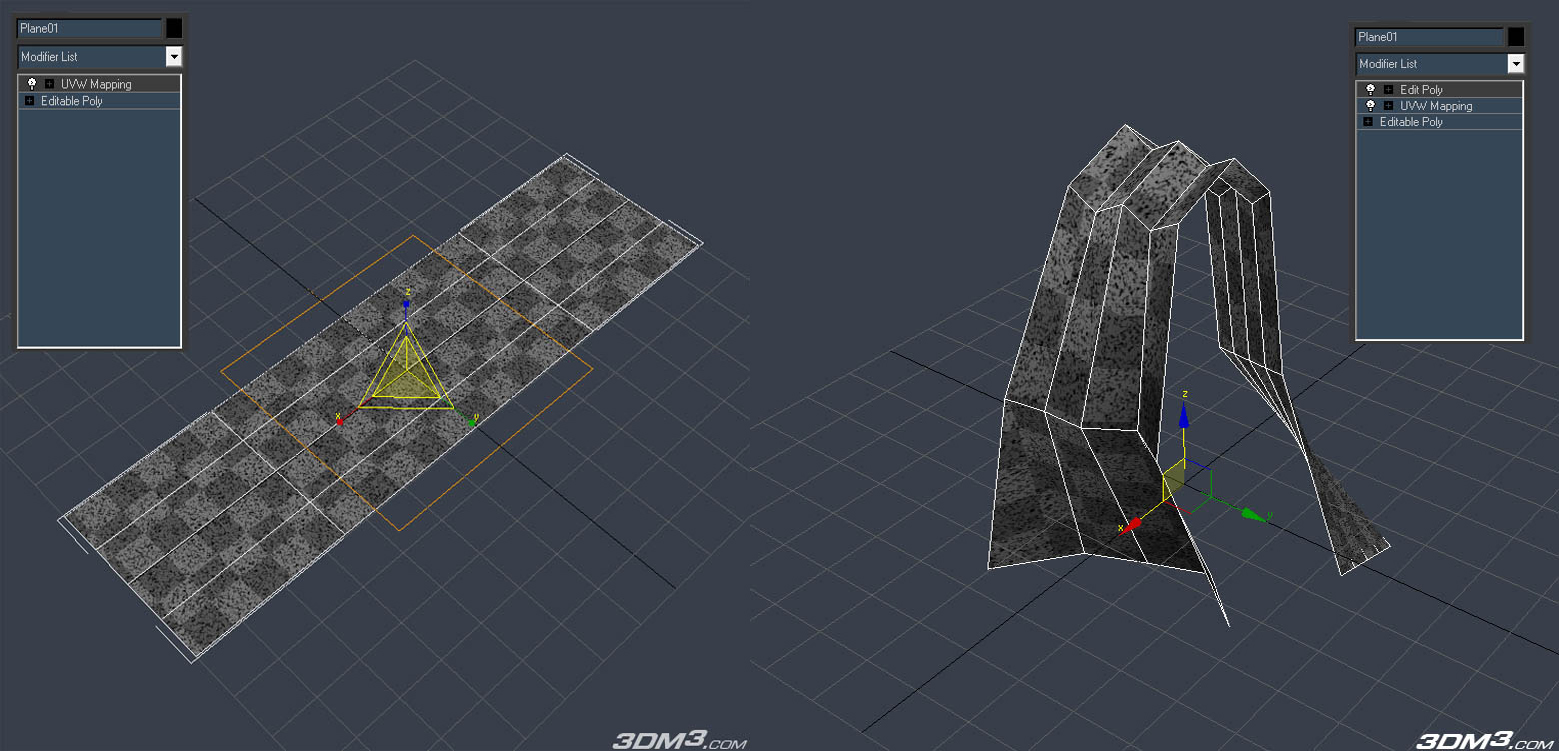
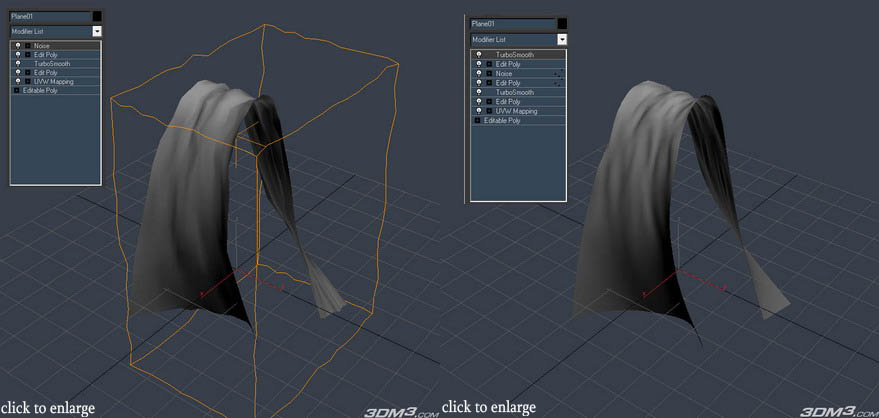
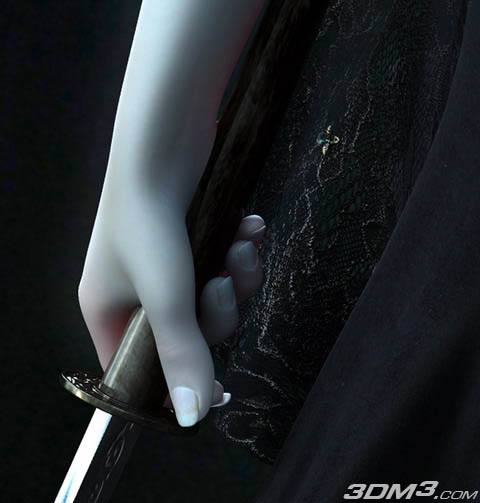
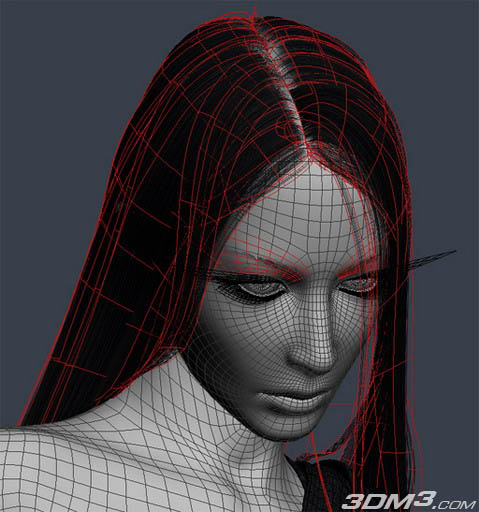
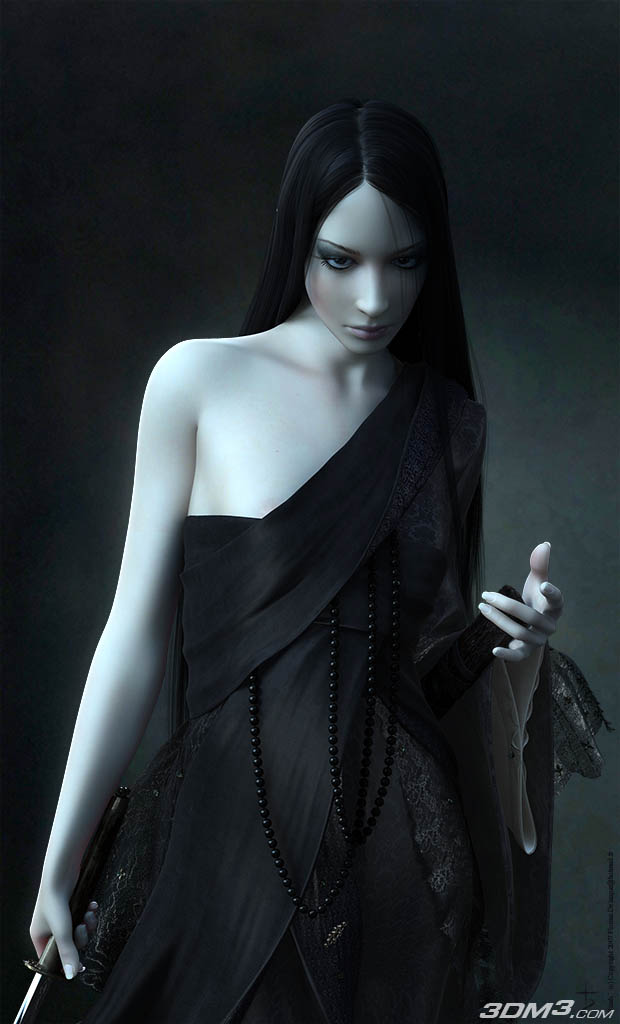
After this process of describing the character I thought about my inspirations and the graphical style I want to create. I wanted Binah to have a soft, pale skin, with some details only in the eyes, mouth and hand areas. She wears a long dark robe, and drapery, and I wanted her hairs to be in the continuity of her robe style. Finally, I wanted her to have a dark, cold and enigmatic glance. Modeling My modeling process is based on the edge extruding technique. During this process, I try to get edgesloops as accurate as I can, so I can manipulate/animate what I do. I principaly use EdgeExtruding method for my characters so I can set up my edloops directly. For the face, I do my best to keep circulars edgeloops over the overall surface. I try to get good transitions between edgeloops too. 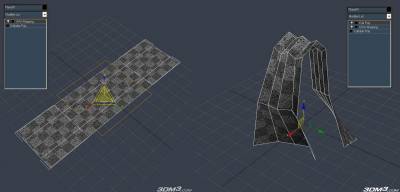 Generaly, I add a Meshsmooth/Turbosmooth modifier on top of this hierarchy. And I add a noise modifier too with soft selection on vertices. This create little chaotic turbulences that make the fabric more natural. Generaly, I add a Meshsmooth/Turbosmooth modifier on top of this hierarchy. And I add a noise modifier too with soft selection on vertices. This create little chaotic turbulences that make the fabric more natural.
The falloff helps to smooth this effect toward the surface. Then, I add a new EditPoly, to erase the selection of the previous one, and a MeshSmooth to smooth the surface.
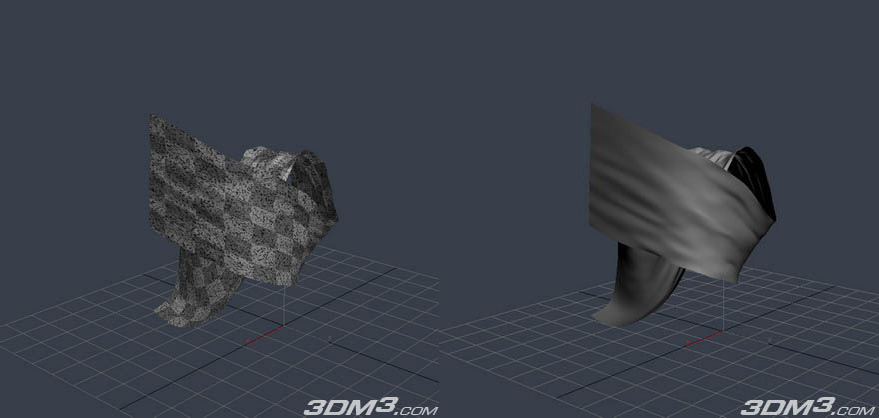
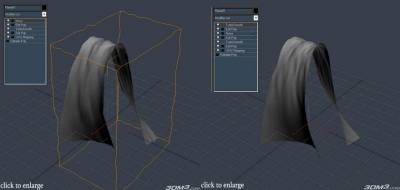 This method is very usefull for doing drapery because doing so, you can step back to the first EditPoly and model the main shape, and the Uvs and the overall details will be preserved. This method is very usefull for doing drapery because doing so, you can step back to the first EditPoly and model the main shape, and the Uvs and the overall details will be preserved.
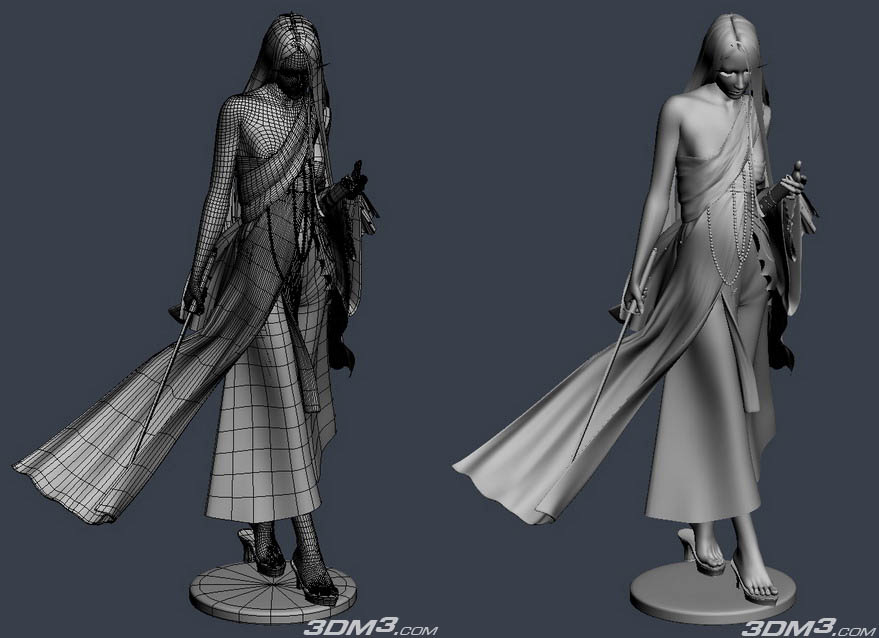
Of course there will some little coorections about uvs, and the falloff selection pour the noise modifier, but I prefer to do drapery so, because it is much easier than modeling the drapery and unwrapp it directly. 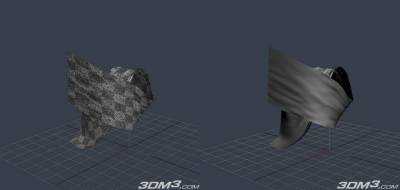 As you can see, this is the same object deformed, and the uvs did’nt changed, there was only a few corrections to it, and to reselect the vertices in the second EditPoly modifier for the falloff and the noise modifier. Hair were modeled in the same way, and received opacity maps for rendering. I like a lot to put the details more and more accurate on the models, because it makes them really react to the lighting of the scene. So I don’t usually use tricks on texture maps to replace the details of the model. I skinned and rigged the body of Binah to set her in pose. The dress and the other accessories were modeled on the posed body. I spent a lot of time searching the good pose, to give Binah a lot of personnality. Posing is a great way to make a 3D character alive, much more than a realistic rendering. As you can see, this is the same object deformed, and the uvs did’nt changed, there was only a few corrections to it, and to reselect the vertices in the second EditPoly modifier for the falloff and the noise modifier. Hair were modeled in the same way, and received opacity maps for rendering. I like a lot to put the details more and more accurate on the models, because it makes them really react to the lighting of the scene. So I don’t usually use tricks on texture maps to replace the details of the model. I skinned and rigged the body of Binah to set her in pose. The dress and the other accessories were modeled on the posed body. I spent a lot of time searching the good pose, to give Binah a lot of personnality. Posing is a great way to make a 3D character alive, much more than a realistic rendering. 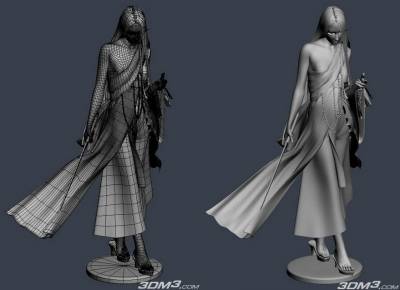
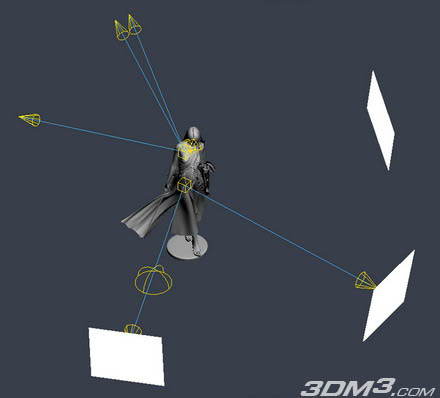
Due to posing, my modeling process can be long. But since it is posed and well modeled, it is more easy to give a character more a more natural look with Lighting and Texturing. Texturing A good lighting can’t be done if you only bet on radiosity and HDRI lighting. According to me, the best way to lighten a scene is the do like a real photographer will do. Using the 3 point light technique.
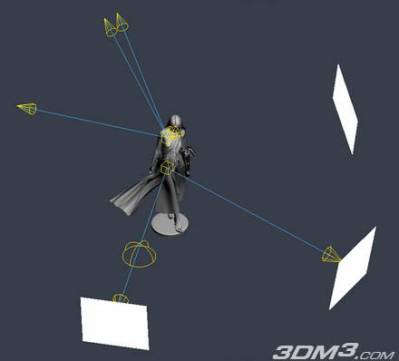
I first setup three Area lights in my scene :
- one Key Light;
- one Fill Light
- one Rim Light.
I tweak these lights until I get a good base lighting on my character.
Then I put a HDRI dome light, to avoid Black areas in my picture : I generaly set the intensity of this DomeLight very low. Finally, I put some white constant shaded planes around my character to fill the areas that remains too dark. These planes help to create nice reflexions on reflexive objects too. During this process, I always tweak the intensity of my lights to keep my lighting ratio at the same value (Intensity of Key Light / Intensity of Fill Light). I always try to use warms colors for the Key Light and cold colors for the Fill Light too. For the eyes, I always create two point lights, including only the eyes, and controling only their specularity. It allows me more control on the specularity of the eyes. Here is the light setting of my final scene. For the Rim Light, I duplicate the spot to make if softer.
Texturing/Shading :
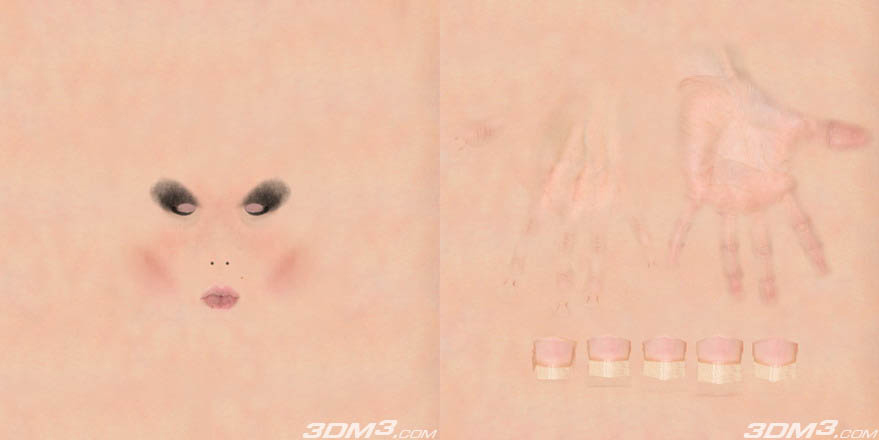
The skin : I wanted Binah to have a cold pale porcelain skin. So, I choose to put details only in caracteristic areas:
the eyes
the mouth
the hands
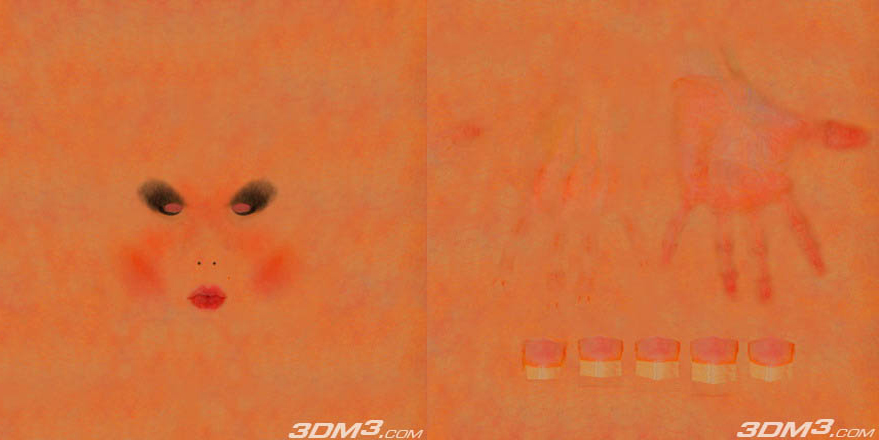
The rest of skin remains really simple, with only subtle variations on it. Here is some example of the diffuse texture for the skin 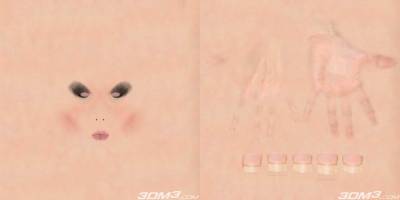 I use the SSS Fast Skin Material from MentalRay to render the skin. I putted the diffuse texture in the Unscattered Diffuse Color and the Epydermal (Top) Layer Scatter Color slots. Then I putted a warmer version of the diffuse texture in the Subdermal Layer Scatter Color. I use the SSS Fast Skin Material from MentalRay to render the skin. I putted the diffuse texture in the Unscattered Diffuse Color and the Epydermal (Top) Layer Scatter Color slots. Then I putted a warmer version of the diffuse texture in the Subdermal Layer Scatter Color. 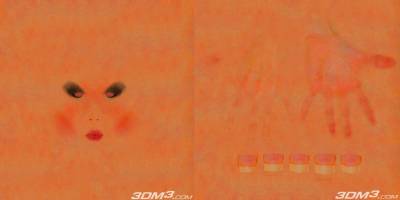 For the Back Surface Scatter Color, I didn’t putted some textures, and kept the redish color. For the Back Surface Scatter Color, I didn’t putted some textures, and kept the redish color.
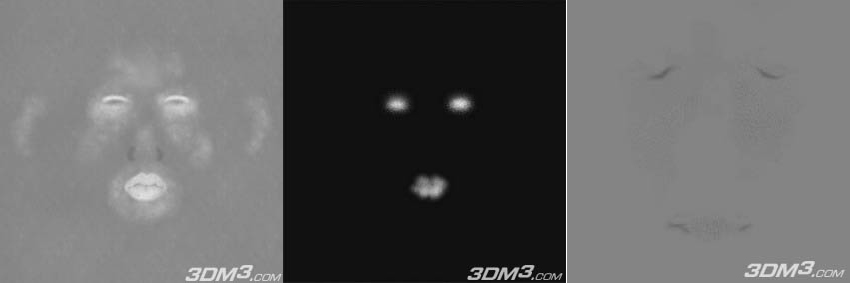
I use a specular map, reflexion map, and bump map(pictures below from left to right) for her skin, too.The dark areas of the reflexion map aren’t really black. It allows my skin shader always reflect some light from the environment, even where the skin doesn’t seem to be reflective. The bump map is really subtle as you can see. The details are mainly around lips and eyes area (again to make contrasts on her skin). 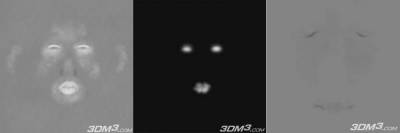 For the dress fabric, I mainly used the Oren Nayar Blinn shader from 3DSMax. One of the tricks I often use for fabrics is to put a Fresnel Falloff map in the self-illumination slot of my material.Then I tweak its intensity curve to get the results I want. I do the same for the bump slot.It allows me to have some variations for the bump of my surface. Moreover I always put some reflexion map on fabrics (except the soft ones). For the dress fabric, I mainly used the Oren Nayar Blinn shader from 3DSMax. One of the tricks I often use for fabrics is to put a Fresnel Falloff map in the self-illumination slot of my material.Then I tweak its intensity curve to get the results I want. I do the same for the bump slot.It allows me to have some variations for the bump of my surface. Moreover I always put some reflexion map on fabrics (except the soft ones). 
Here are some texture examples from the lace areas of her dress: 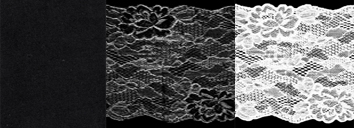
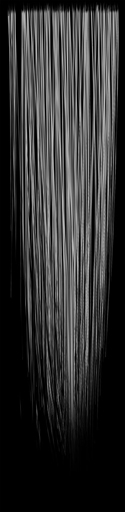
Here are some texture examples from the lace areas of her dress: I used polygonal patch, and opacity maps to create hairs. For the material, I used , one texture in the diffuse slot, one in the specular one, and another ine the opacity slot. Maps see below:
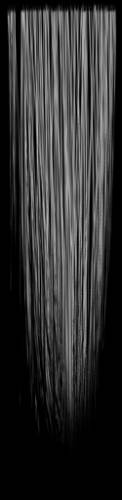 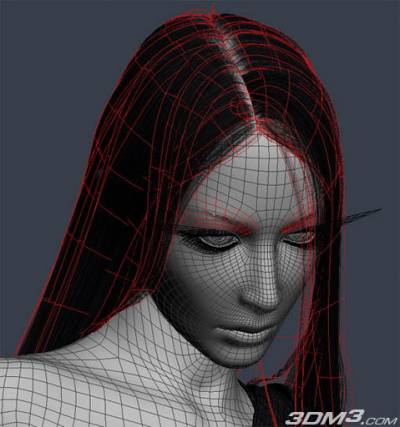
Of course, all this texture and lighting work had to be tested with many renders tests. It took a lot of time, but the more time an artist spend on his image, the more best quality he gets. Final After doing all this lighting/texturing work, it was time to do the final render of the image. The result was good, but I tough that that specularity of the lace wasn’t strong enough. So I decide to create a specular pass to enhance the lace’s specularity, and used it in photoshop in a layer in screen mode. 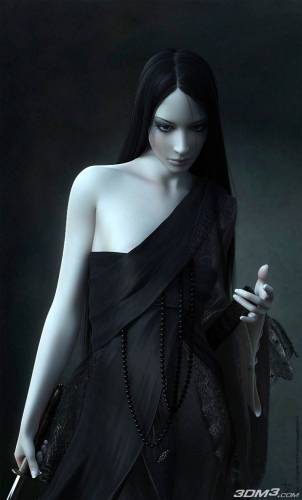
|