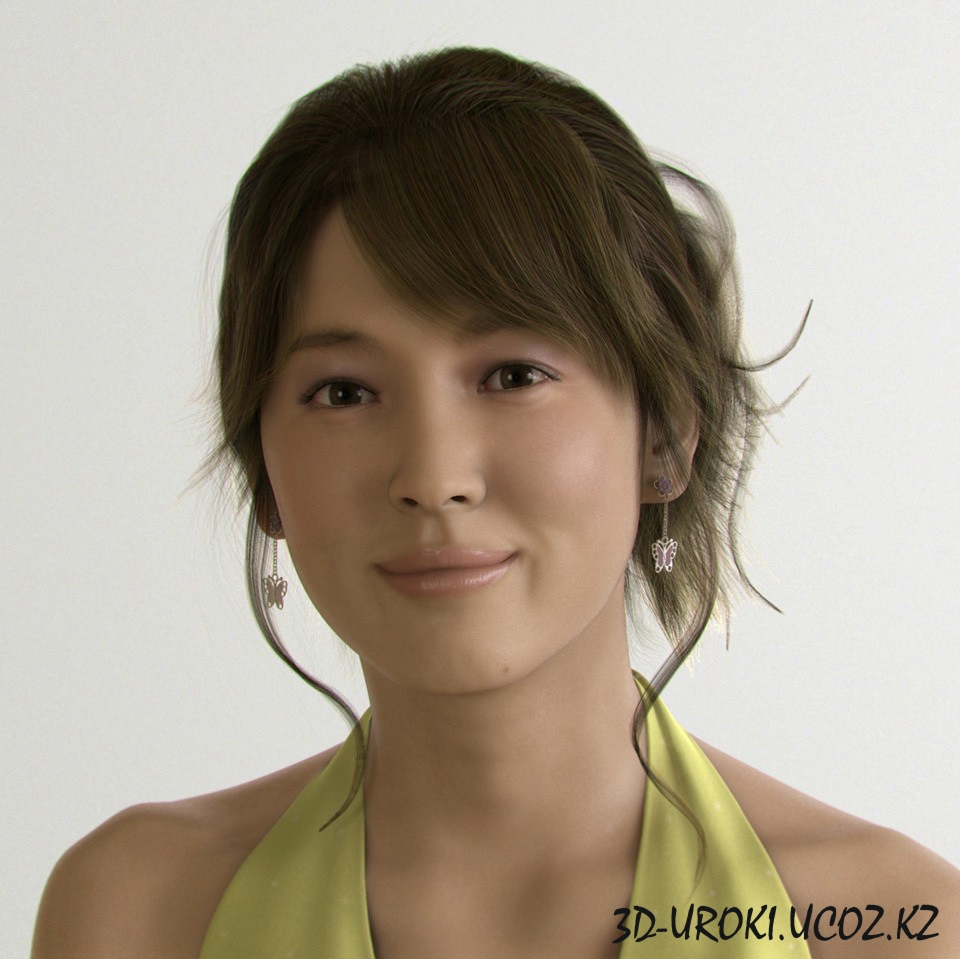
THE HEAD
First of all, I
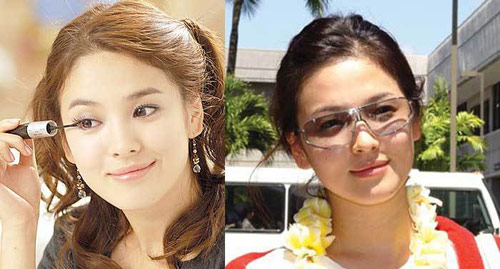
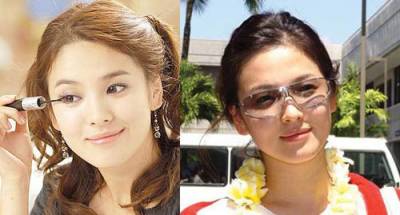
started by collecting her pictures for reference, but because the lack
of good images of her in the internet I decided to grab the images from
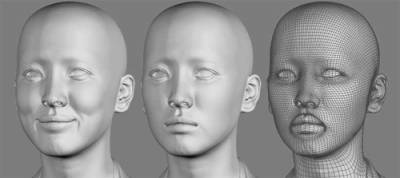
one of her movies. Then I used zbrush to start making the face with
traditional method. After I think It looked good, I exported the mesh
into 3DMax for rendering.And
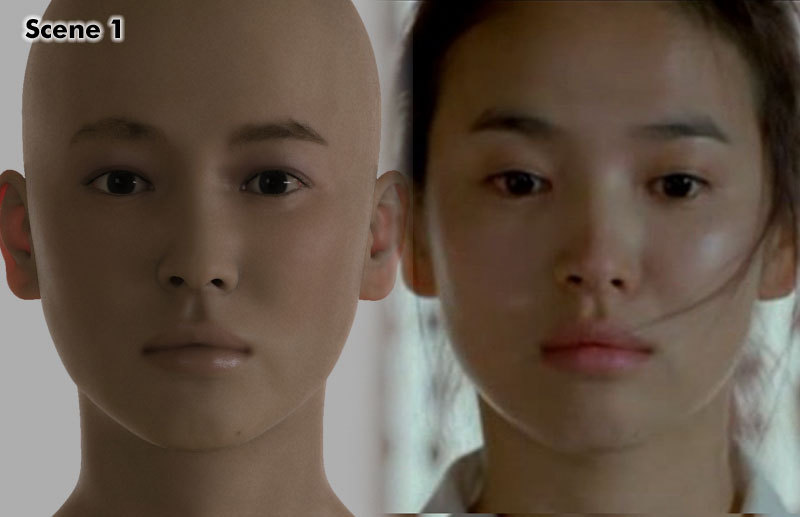
as I expected, the face likeness was lost in the transition between
Zbrush and 3DMax. The reason was because of the perspective distortion
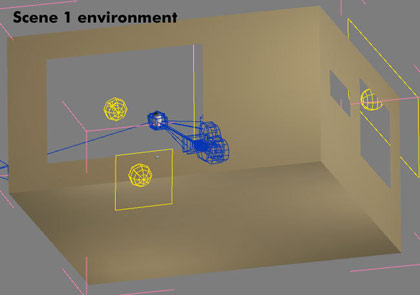
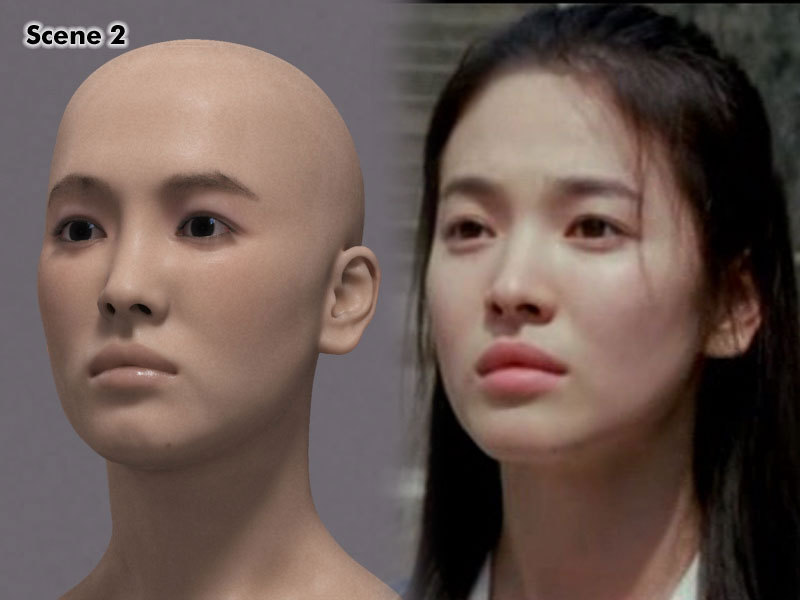
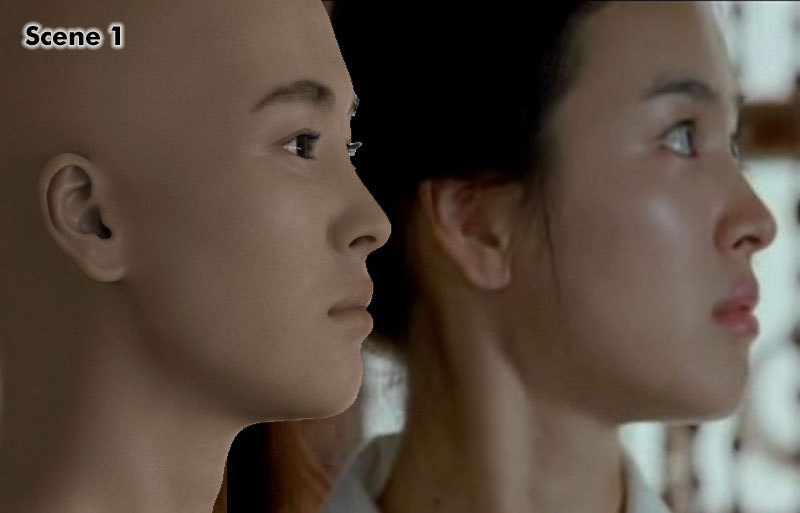
and maybe the lightning. So, The next step was recreating the scene into 3DMax based on the reference pictures. The
scene 1 camera was located that far away because I realized that
they're zooming into the face at the time. The lightning is using
photometric lights with FG and GI (Image below). After
that, it's all about tweaking the model to match the ref pic. I also
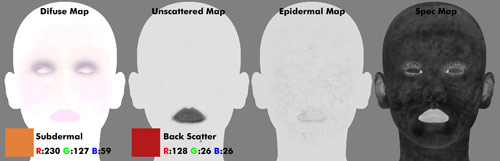
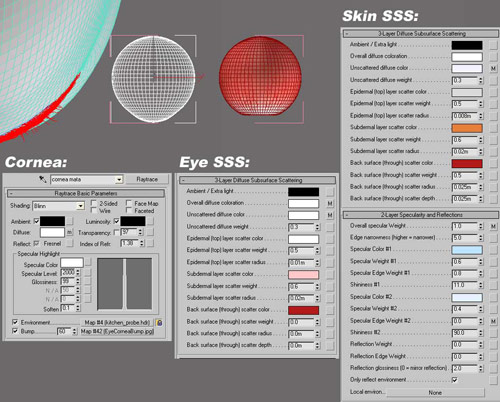
used couple more views other than those three to ensure the accuracy. 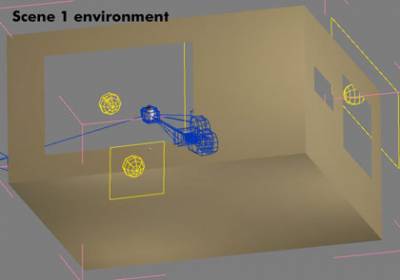 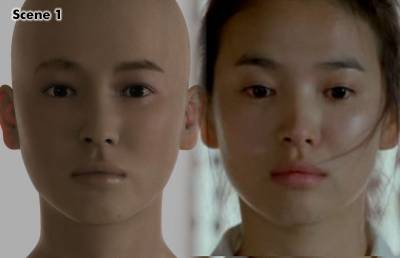 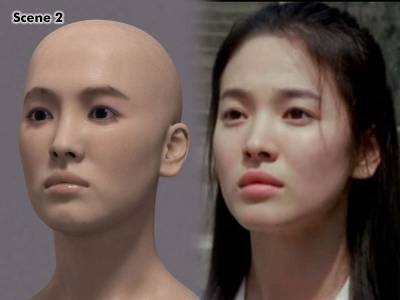 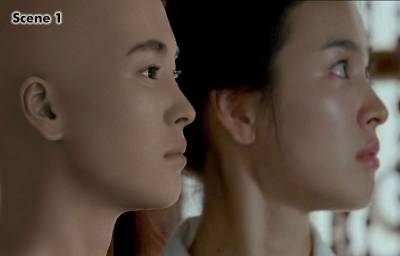 SHADERS AND TEXTURING I used SSS fast skin shader for the skin. All the textures were painted in Zbrush. As
you can see, the textures are very simple. I wasn't trying to make a
photorealistic picture, instead I was going for the 'airbrushed photo
look', so I can get away with just using simple and low res textures. 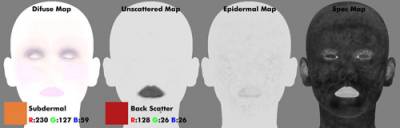 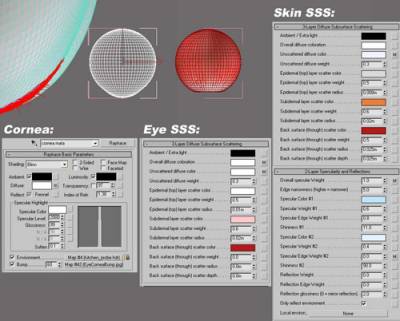
HAIRS
I
used Hair&Fur for creating the hairs. For the main Hair I created
different layers for every part that I think needs to be seperated. In
order to make them renderable using Mental ray, change the hair
rendering mode into 'MR prim' mode. As you might
know already, The hair is very memory heavy and very slow to render.
So, try to limit the hair count under 15000, unless you have a good PC. 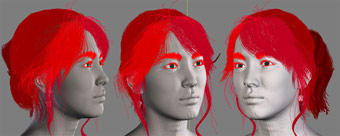
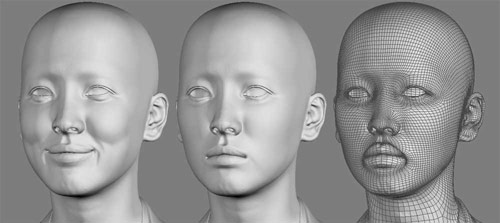
THE SMILE Basically I made
the smile by bringing the mesh back to zbrush and start back from the
beggining. Aside from using the ref pic, I also looked at my own face
to learn about the facial muscle when smiling. After it's done, I used
the morph modifier to create the facial animation.
FINAL RENDER 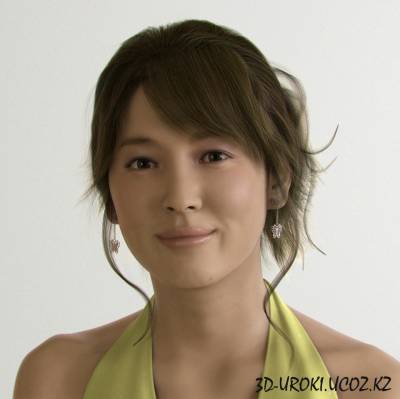 I posed the head, and added the earrings and
clothes, I made them using 3dmax. For the lightning, I used same
environment for scene 1, and changed the lightning setting a bit.
And added couple photoshop touch up such as:
- Lens blur with a little bit grain for creating the depth of field
- Chroma Aberration effect by reducing the green channel image size by around 3 pixel. That's all,
Thank you for your interest. P.S Урок будет скоро переведен.
|